15 November 2026
I asked Grok Bot to turn my comics into Netflix
If you read comics on a tablet, you know how it goes. You import what you want to read. You read it. You delete it to make room. Then you import the next batch.
It works fine. The reader apps are good at it, and they remember where you left off.
But what you carry around is never your collection. It's this week's pick from it. The rest stays at home, where you can't browse it, can't search it, and can't change your mind about what to read tonight.
I wanted all of it with me, all the time. Every series with its cover, its summary, who wrote it and what comes next. Nothing to import and nothing to delete.
Films got there years ago. Nobody copies a film onto anything any more. You open Netflix, or your own Plex or Jellyfin, and everything is there, with a row called Continue Watching.
Comics can work the same way. The missing piece is a server: a program on a computer at home that reads your folders and turns them into a library any of your devices can open. Kavita is one. Komga is another. I went with Kavita, but nothing in this story depends on which one you pick.
What stops people is the word "server". It sounds like a weekend with the documentation. So I did it the lazy way. I opened Grok Bot, the app from xAI where you hand jobs to bots, and typed what I'd say to a friend who is good with computers.
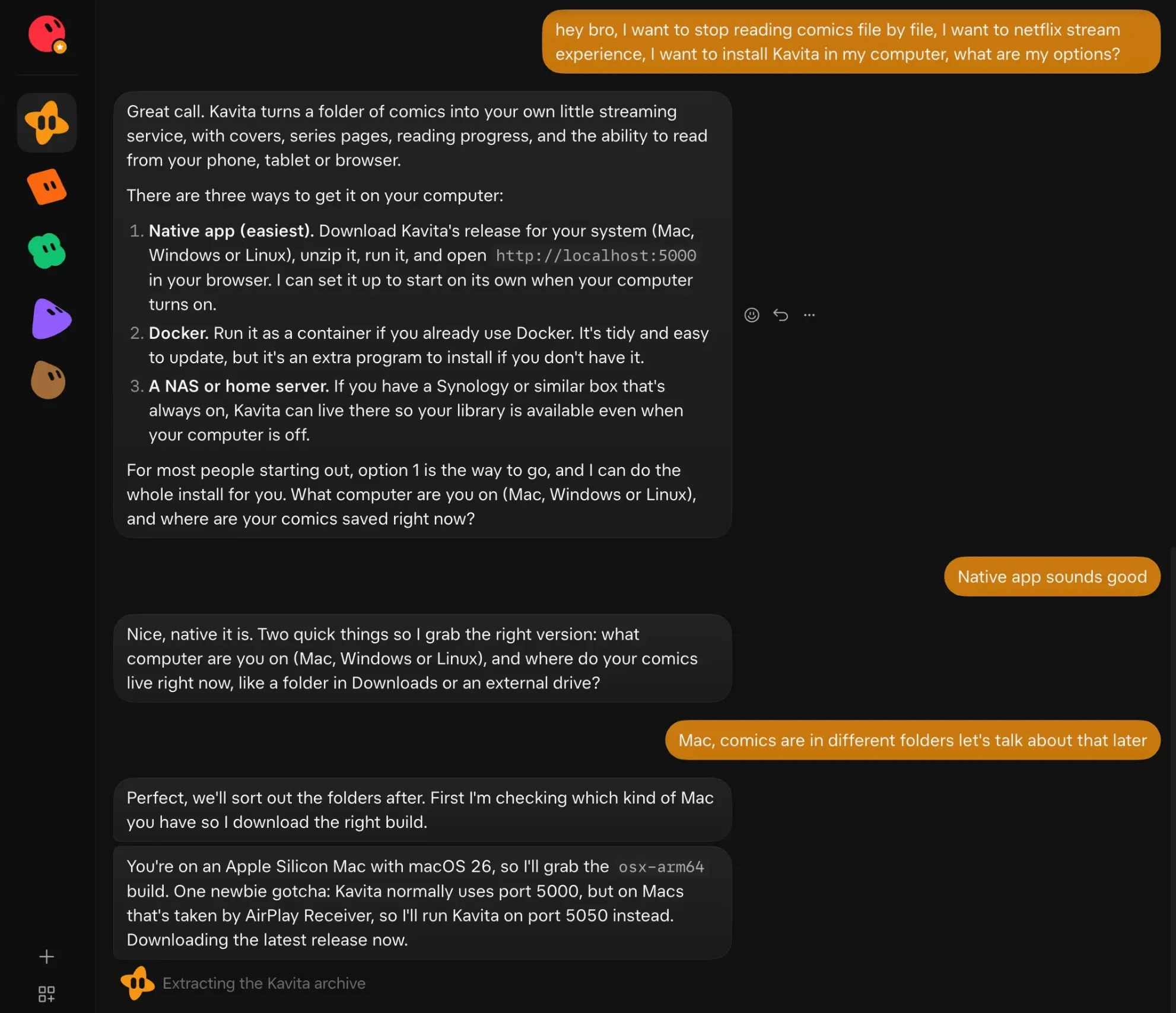
That's everything I typed. Three messages, and one of them says "let's talk about that later".
It offered me three ways to do it: the plain app, Docker, or a NAS if I had one. It said the plain app was the easy one and that it could do the whole install. I said yes.
Now read its last message again. Kavita wants port 5000, and on a Mac that port already belongs to AirPlay. I didn't know that. It's the kind of thing that ends a first attempt, and Grok Bot had gone around it before I knew it was there.
Then I watched
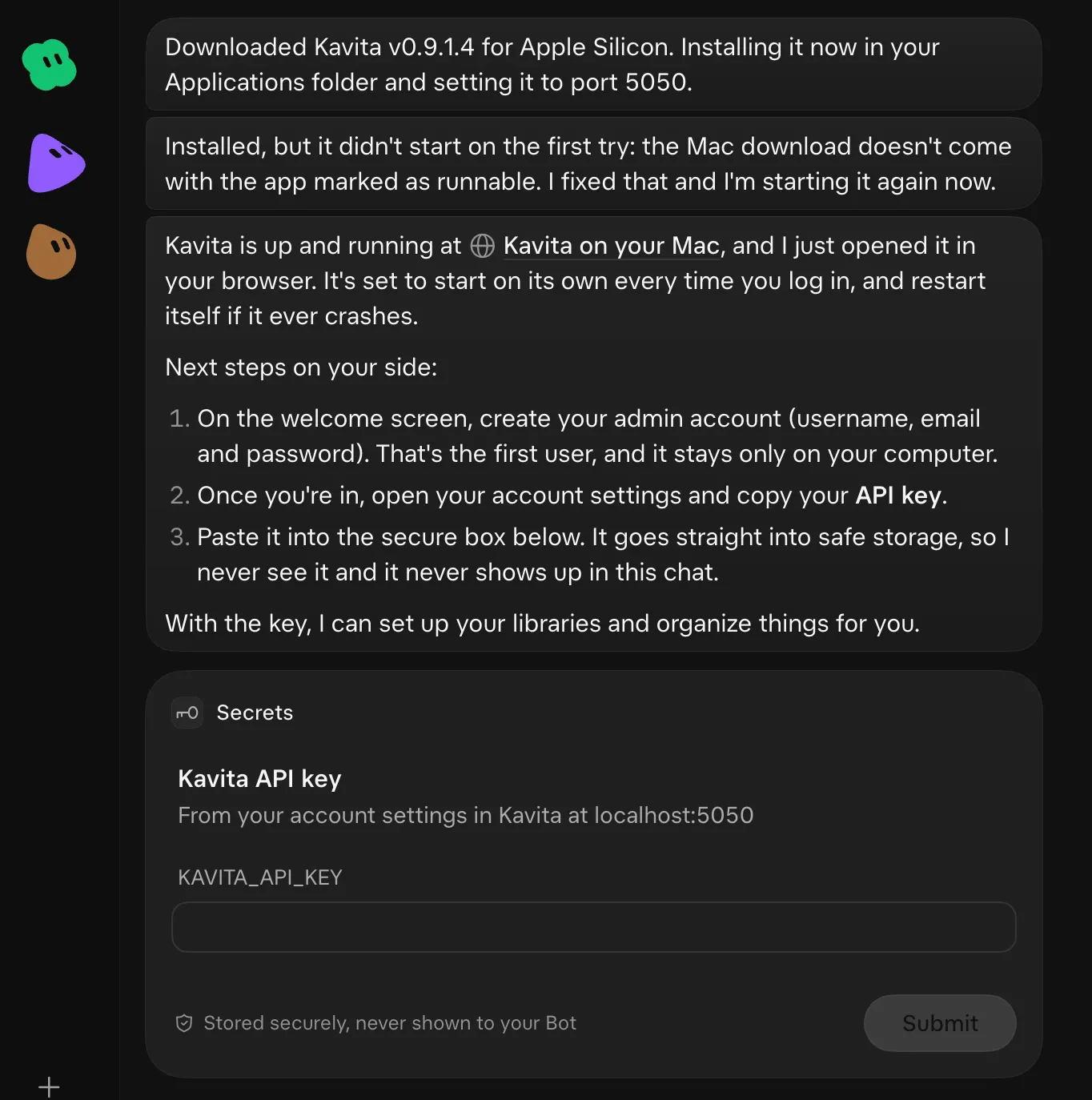
The second problem: the Mac download wouldn't start, because macOS didn't see it as something it was allowed to run. Same story as the port. I only know because Grok Bot told me after it had fixed it.
It also set Kavita to start by itself when I log in, and to come back if it ever crashes. I hadn't asked for that. I wouldn't have thought to.
Then my browser opened on this:
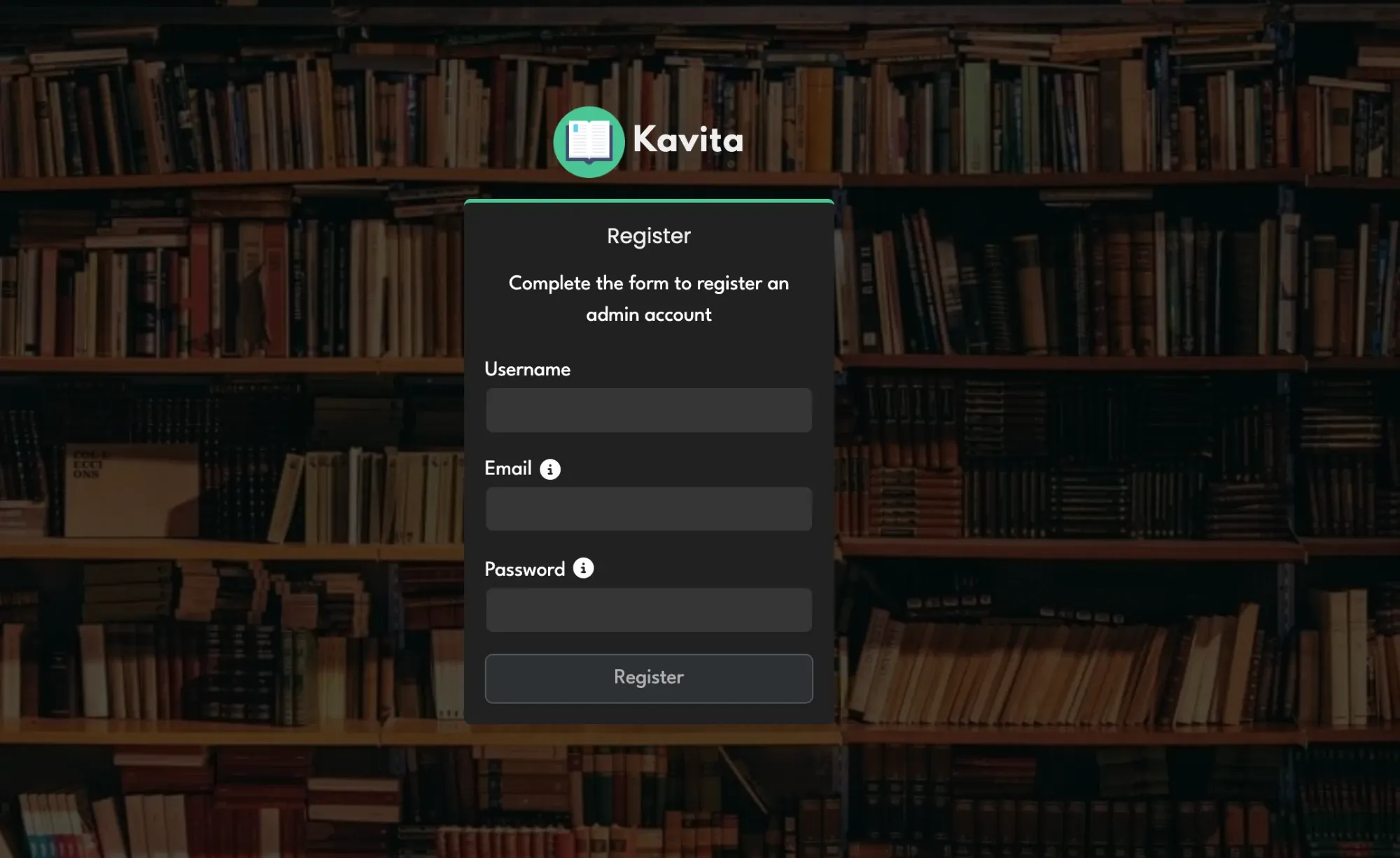
I made an account. It lives on my Mac and nowhere else.
The one place to slow down
Go back to the bottom of the chat. Grok Bot wants a key to my new Kavita, so it can set up the libraries. A key is a password, and it didn't ask me to paste one into the conversation. It put up its own box: stored securely, never shown to the bot.
Kavita lets you make a separate key for each app, so I made one with Grok Bot's name on it.
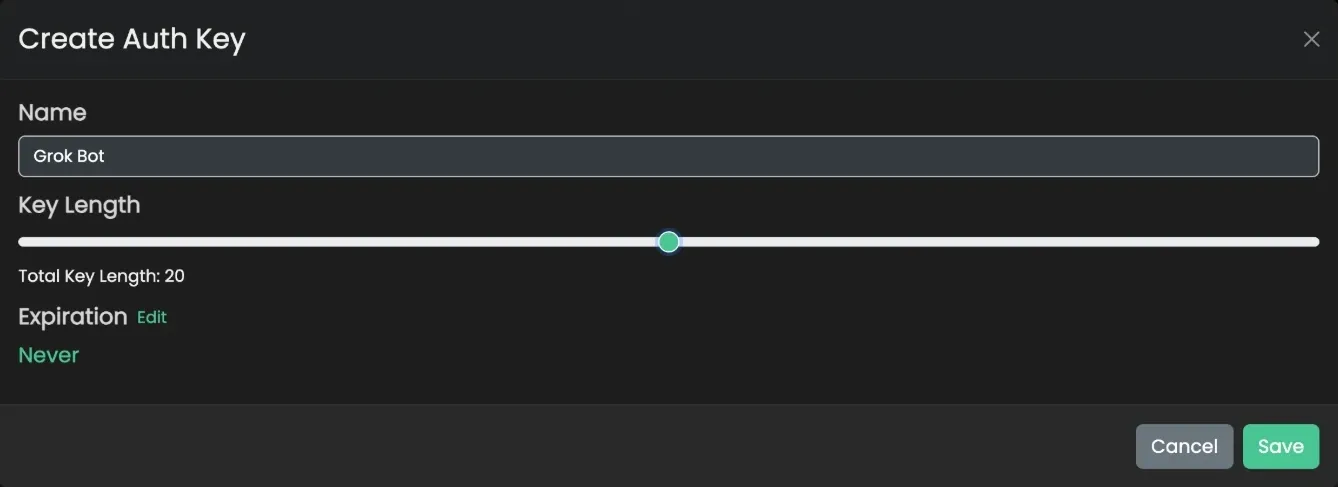
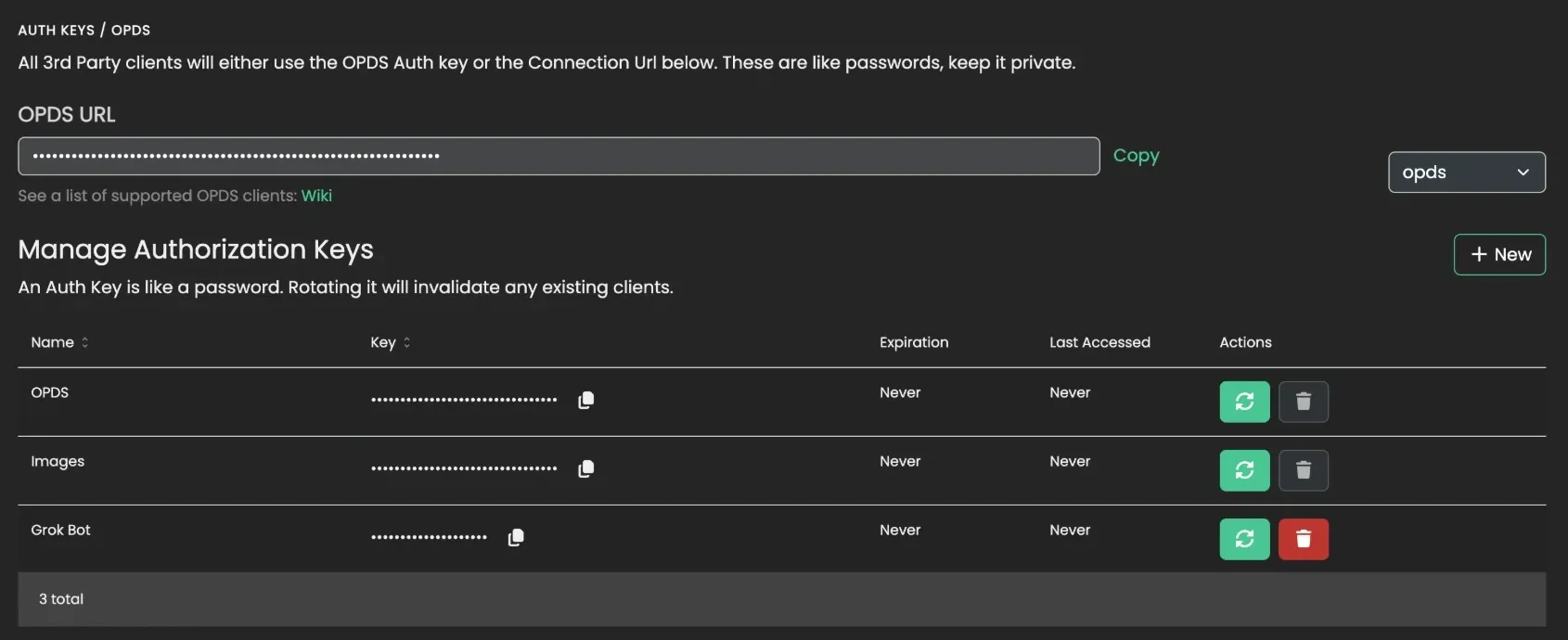
That key goes into the box, not into the chat. If you use another agent and it has nothing like that box, ask it where the key should go before you copy it. Don't drop a password into a conversation.
Where that leaves me
Kavita is running on my Mac, and it starts by itself when I log in. Grok Bot has a way in and is waiting for the next job.
The next job is the good part. My comics are still spread over different folders, and I'm going to ask it to sort them out. That's the next post. After that, getting to the library when I'm not at home.
I used Grok Bot because it's the one I use. If you live in ChatGPT or Claude, try it there. You need the kind that can run things on your computer, not only chat, and I'd expect the conversation to go about the same.
One more thing, since this is our blog. Kavita comes with a reader in the browser, and it works. On iPhone and iPad we make Binge, which is why any of this interests us: it connects to a Kavita or Komga server and gives you the shelves, the covers and the page you left. If you end up with a server this week, try it.